
How to Download the Official BD111 App on Android & iOS
BD111 has developed a mobile app that allows players to participate in betting more quickly and conveniently than before. The app is available on both Android and iOS platforms. You can play sports betting, casino games, and slots whenever and wherever you want. The app has already received positive user feedback. Below are the steps for downloading the app.
BD111 App Download for Android Devices
Step 1 – Go to BD111 homepage. At the top of homepage click “Download App” option.
Step 2 – You’ll see the download options. Select the download option for Android devices.
Step 3 – The APK file of BD111 will be downloaded on your mobile. You need to give permission to download the file.
Step 4 – After download is finished, go to Settings. Open the APK file inside Downloads.
Step 5 — Open the app. After the installation, click on the button “Open” to begin betting.
Guide to Downloading the BD111 App on iOS Devices
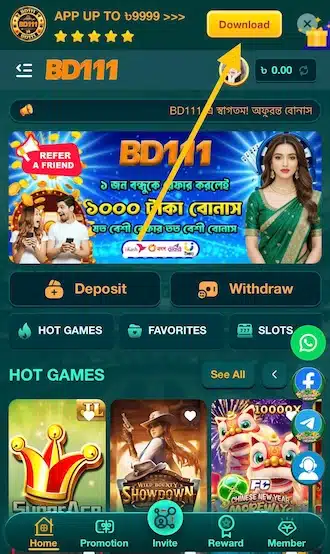
Step 1: Open Safari and go to the official BD111 website. Once on the homepage, click on the Download button located at the top.
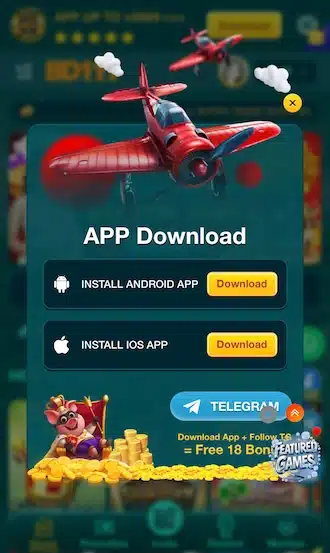
Step 2 – Now you will see the app download interface. Select the iOS device download option.
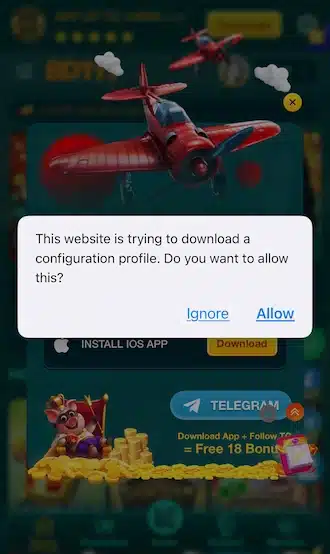
Step 3 – An iPhone alert will pop up that a website is requesting to download the profile for BD111. Choose “Allow”.
Step 4 – Navigate to Settings -> General -> Device Management. Choose the BD111 profile and proceed with installation.
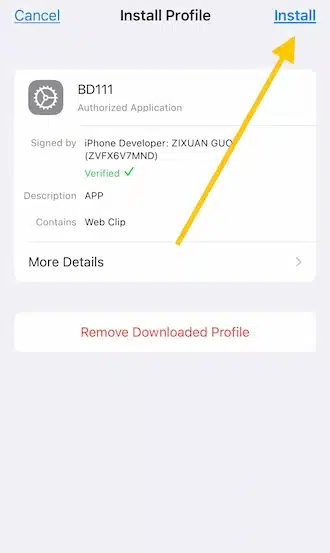
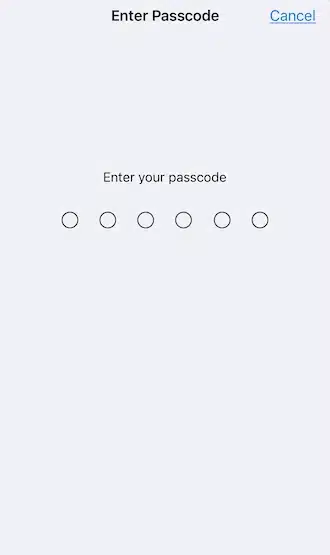
Step 5 – The device will prompt you for a passcode to verify the installation. Enter your passcode.
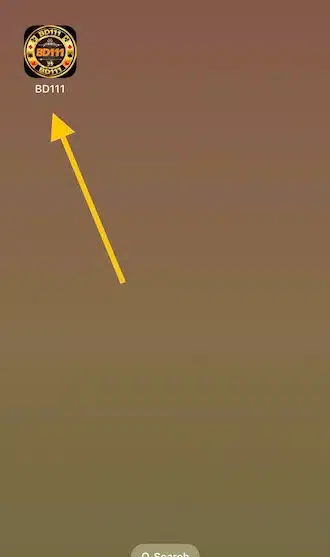
Step 6 – After the installation is done, the BD111 app will show on your home screen. Open it.
What to Do If There Is a Problem Downloading the App

Android app won’t install. Usually when you don’t have ‘Allow installation from unknown sources’ enabled. Go to security settings and enable it. Then try again.
APP freezes or cannot open: This may be due to an old version or system error. Please reboot your device or reinstall the latest version.
How much space will you need to download the app?
Android: minimum 100 MB of free space.
iOS: minimum free space 2-5 GB.
Download is slow or interrupted: This happens because of a weak or unstable internet connection. Connect to strong Wi-Fi or mobile data and try again.
Installation Error: Please ensure that the device you are using meets the minimum operating system requirements. If required, please update to the latest version.